
MacBook & iMac repair
Won’t turn on, screen, battery, keyboard, liquid damage, SSD and RAM upgrades.
Mac laptop · 2013–2017
A twelve-year-old laptop that is still worth fixing for one specific reason: it is the last Air Apple left with its drive on a connector.
4,6 out of 5 · 138 reviews on GoogleRepair quirk
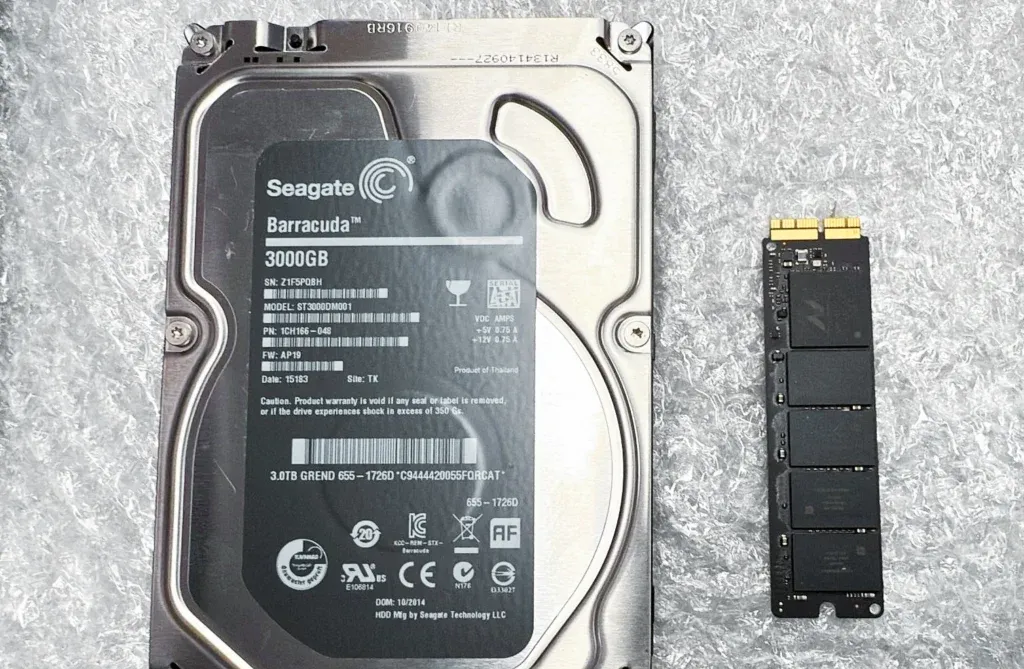
In these MacBook Air the storage is a card held by a single Torx screw that pulls straight out of its socket. There is no adhesive, no solder and no hardware encryption tying it to the board. In practice it means a machine with a full 128 GB can become useful again for the price of a part.
With one caveat that saves grief: the connector is Apple’s own. It looks a lot like a PC M.2 and it is not, so a drive bought online “because it fitted” usually will not boot. There are replacements made for this machine, and that is the route.
What cannot be upgraded is the memory: on this Air it is soldered to the board, so whatever you bought is what you have for good. It is worth knowing before investing in the machine, because with 4 GB a new drive helps less than you would hope.
The number one reason to open one of these. The SSD is upgraded and the system cloned, and the laptop goes back to doing what it did.
At ten or twelve years old that is normal. It is one of the most rewarding repairs on this model, because the rest of the machine holds up well.
The lid no longer stays where you leave it. It gets adjusted before the video cable starts to suffer from the movement.
Cloning the system onto the new drive means booting it. Without the admin password the upgrade stops halfway and you have to come back.
The Apple menu, About This Mac. With 8 GB the machine has road ahead; with 4 GB it is worth a conversation before spending on a bigger drive.
This page digs into one specific model. If you want the full picture of what we do with this family of devices, start here:
Won’t turn on, screen, battery, keyboard, liquid damage, SSD and RAM upgrades.
It introduced the butterfly keyboard Apple ended up covering with a service programme.
The memory sits inside the M1 package and the storage is soldered: none of it can be upgraded.
No. The connector looks like M.2 but it is Apple’s own, so it needs a drive made for this model or the right adapter. It is the most common mistake, and the one that leaves the laptop unable to boot.
Yes, the system and your data are cloned to the new drive. Even so we will ask you to make a backup first: it is your safety net and it costs nothing to have.
No, on this Air the memory is soldered to the logic board. Only the storage can be upgraded, which is why how much memory you have decides whether investing in the machine makes sense.
Tell us what’s wrong and we’ll tell you what it is, what it costs and how long it takes. No obligation, and the initial diagnosis is free.
4,6 out of 5 · 138 reviews on GoogleCarrer de Fontanella, 14, bajos · 08010 Barcelona — or drop by Fontanella 14, next to Plaça Catalunya