
Data recovery
Photos and documents from dead devices, damaged drives or accidental deletion.
Microsoldering & logic board
If you’ve been told your iPhone or Mac can’t be fixed, or that the whole logic board needs replacing, bring it in. We work at component level: we repair the chip that failed instead of swapping out the entire board.
4,6 out of 5 · 138 reviews on GoogleChip-level repair · Second opinion, no commitment
Find the symptom closest to yours, Apple or not: Windows laptops and Android phones belong on this list too. We tell you what it usually points to, what not to do in the meantime and which repair it belongs to.
21 symptoms
What it usually is. Most of the time the port is packed with pocket lint and the cable never seats properly. When it isn’t that, it’s usually a worn connector or the charging line on the logic board, and you tell those apart by measuring, not by looking.
What not to do in the meantime. Don’t dig inside the port with a needle or a paperclip: the contacts are a millimetre across and bend without you noticing. And stop forcing the cable into the position that works, because every time you do you damage the pin a little more.
What it usually is. If calls come through and it still buzzes, the phone is alive and what has failed is whatever puts the image on screen. Usually the panel or its connector, and sometimes the backlight line on the board, which leaves a black screen on a phone that’s working underneath.
What not to do in the meantime. Don’t leave it plugged in and switched on for days hoping the picture comes back, and above all don’t squeeze or twist the frame to make contact: if a connector is loose, all you achieve is a scratched panel and more stress on the board.
What it usually is. Water rarely kills an iPhone on the spot: what it does is start corroding the board, and the damage keeps spreading for days. That’s why a phone that seems fine after a soaking can fail two weeks later.
What not to do in the meantime. Don’t put it in rice: it dries nothing inside and pushes starch and dust into the connectors. Don’t switch it on or put it on charge, which is what turns damp into powered corrosion, and don’t use a hairdryer, because the heat drives the water further in. Turn it off and bring it in as soon as you can.
What it usually is. An iPhone that doesn’t even stir when you plug it in usually has a power problem on the logic board. Often it isn’t the battery but a component on the power-up line, and nothing can be said for sure until the current draw is measured.
What not to do in the meantime. Don’t leave it on a fast charger for hours to see if it reacts: if there’s a short circuit, those hours do more harm. And don’t open it at home to disconnect the battery, because on an iPhone that step is full of ribbon cables that tear at the first slip.
What it usually is. Sometimes it’s a software problem and a reinstall settles it, but when the reinstall fails halfway or the loop comes back, there is almost always an unstable component on the board. Either way, the first job is getting what’s inside to safety.
What not to do in the meantime. Don’t restore it from a computer before you have asked someone: a restore wipes the contents, and if the fault is on the board you end up with no data and the same fault.
What it usually is. This usually shows up after a knock, a swim or a previous repair. It can be the antenna, a pinched ribbon cable or the signal amplifier on the board, and putting the SIM in another phone already rules out part of it.
What not to do in the meantime. Don’t run five restores or change carrier hunting for the fault: if the radio section is damaged, no setting will bring it back and you only lose time, and sometimes data.
What it usually is. The simple explanations go first: lint packed into the bottom of the port and a cable that has broken inside. When it’s neither, the port is worn or the board has stopped managing charging. On some models that port sits on a small daughterboard and on others it’s soldered to the main one, and that difference decides whether the job is a module swap or soldering under a microscope.
What not to do in the meantime. Don’t scrape inside the port with a needle, a paperclip or a toothpick: the contacts are hair-thin and once bent no cable will grip them again. And don’t leave it charging overnight in the position that works, with the cable propped up by a book: a bad contact heats the port, and the battery sits right next to it.
What it usually is. A phone that shrugged off a splash the day it left the factory tells you nothing about the state of its seals now: gaskets dry out, and any previous opening — a screen, a battery — leaves them worse than they were. And water doesn’t break things outright, it corrodes: the damage keeps advancing for days, which is why a phone that seemed to have survived fails a fortnight later.
What not to do in the meantime. Not rice: it dries nothing inside and pushes starch and dust into the connectors. Don’t switch it on to check, and above all don’t put it on charge, because damp with current running through it corrodes far faster. No hairdryer and no radiator either, since heat drives the water further in. Turn it off, don’t shake it, and bring it in quickly.
What it usually is. Two very different situations hide behind the same picture. One is software — an update that stopped halfway, a damaged partition — and the other is the board: power that never comes up, memory that doesn’t answer, a chip that heats and cuts out. The first move is to put it on a lab supply and watch how much current it draws: a phone pulling nothing and a phone pulling too much aren’t the same problem.
What not to do in the meantime. Don’t run a factory reset or wipe anything from recovery mode to break the loop: if the fault is on the board you’re no better off, and the photos are gone as well. On Android the storage is soldered and encrypted against that particular phone, so whatever is erased there isn’t coming back. And don’t leave it on a fast charger for hours hoping it reacts.
What it usually is. The iPad’s charging port is soldered straight to the logic board and takes a lot of abuse: leaning on the cable once is enough to bend a pin. Other times it’s just compacted dirt inside, or a charger that doesn’t supply enough current.
What not to do in the meantime. Stop pushing the cable in if it goes in crooked or hits something: each attempt can tear a track off the board, and at that point it’s no longer a port replacement.
What it usually is. In a hard fall what usually gives way isn’t the screen but the board connectors and the chassis itself, which bends and stops holding the modules in place. An iPad can look perfectly intact and still refuse to start.
What not to do in the meantime. Don’t try to straighten the chassis by pressing on it: the battery is glued to the back, it’s very thin and it punctures with almost nothing. And don’t charge it if it has ended up bent or bulging.
What it usually is. A Mac that gives no sign at all when you press the button is almost never a software problem. It’s usually power: the charger, the charging line, or a component on the board stopping the internal supply from coming up.
What not to do in the meantime. Don’t try borrowed chargers of dubious origin or chain resets for hours: if there’s a short, every attempt heats the same spot. And if it also got wet, don’t switch it on.
What it usually is. If the fan spins, the keyboard lights up or it answers the startup chime, the computer is running and what has failed is the picture: backlight, display cable or the panel itself. On some MacBook Pro models it’s a well-known cable that wears out from opening and closing the lid.
What not to do in the meantime. Don’t keep opening and closing the lid to see whether it comes back: if the display cable is the problem, every open brings the moment it breaks for good a little closer.
What it usually is. Coffee, beer and sparkling water are far worse than plain water: they leave sugar and salts that keep corroding the board for weeks. The repair is to open it, clean it and neutralise the residue before the corrosion reaches the chips.
What not to do in the meantime. Don’t switch it on or plug in the charger to see whether it still works: that’s what burns the board. Don’t stand it on a radiator or point a hairdryer at it. Hold the power button until it shuts down, leave it open and face down, and bring it in quickly.
What it usually is. It can be the cable (both MagSafe and USB-C cables break inside), the port, or the charging line on the board. No light on the charger doesn’t mean the charger is the problem.
What not to do in the meantime. Stop using a charger that sparks, gets hot or has a frayed cable, and don’t charge through a port that has gone loose or scorched: at that point it isn’t just the port, it’s what sits behind it.
What it usually is. A laptop that doesn’t stir when you press the button with the charger plugged in almost never has a Windows problem: it has a power problem. Inside the board the supply rails come up in a chain, and one rail failing to rise leaves everything dead with nothing visible to point at. A shorted charging controller, a cracked capacitor or a track eaten away by damp all look exactly like this, and they are told apart by measuring current draw on the bench. This is the ground where repairing a board component by component changes the ending, because the usual answer to it’s a new board or nothing.
What not to do in the meantime. Don’t repeat the unplug-and-hold-the-button trick twenty times over: if there’s a short, every attempt heats the same component again and one point to repair becomes three. Don’t try the charger from another laptop just because the plug fits, since neither the voltage nor the negotiation is the same on every machine. And if it got wet or took a fall before this started, say so when you bring it in: it changes where the search begins.
What it usually is. That message doesn’t say the battery is dead: it says the system has decided not to charge it. It can be the battery, the gauge reporting its state, or the charging circuit on the board, and it’s the fault most often “solved” by buying a battery that was never the problem. It gets clearer once you check whether the charger is delivering the voltage it should and whether current is actually going in.
What not to do in the meantime. Don’t order a battery online before you know the battery is the problem: if the charging circuit is what failed, the new one won’t charge either. Don’t reach for a universal charger with swappable tips to get by. And don’t settle into working plugged in for months, because a battery that drops to zero and stays there really does degrade, and that’s the one that swells later.
What it usually is. On most laptops today the charging port — the old round barrel or a USB-C — is soldered straight to the board. When somebody trips over the cable, the yank doesn’t stop at the connector: it tears off the pads and tracks underneath. Putting it back is therefore not a part swap but soldering under a microscope and rebuilding what came away.
What not to do in the meantime. Don’t charge it holding the cable by hand or wedging it with a book at the angle that works: an intermittent contact throws tiny sparks at the joint itself, and that heat burns tracks until there is nothing sound left to solder to. If the port runs unusually hot, smells, or has gone loose in its housing, unplug it and leave it alone until someone looks at it.
What it usually is. Cutting out dead only under load points at two places: temperature or power delivery. Either the machine hits its thermal limit and shuts down to protect itself, or the stage feeding the processor and the graphics can no longer hold the current peak they ask for and the rail sags for an instant. On laptops with dedicated graphics the two usually travel together. Logging temperatures and draw while it’s being pushed separates them without opening anything.
What not to do in the meantime. Don’t use it on a bed, a sofa or your lap: the vents end up covered and the machine breathes its own hot air. Don’t leave it running flat out to see whether it holds, because every hard cut is a risk to the file system and one day the thing that won’t start is Windows itself. And don’t take the bottom cover off or leave it loose so it can breathe: without it the air comes in where it should not and the heatsink stops pulling heat away.
What it usually is. If the machine starts up — fan, drive light, backlit keyboard — the fault lies in the chain that carries the picture to the panel, not in the power-up. It can be the backlight, the display cable that runs through the hinge, the panel itself, or the video output on the board. One test costs nothing and says a great deal: plug in an external monitor. If the external screen shows a picture, the computer is healthy and the problem lives from the hinge upwards.
What not to do in the meantime. Don’t keep opening and closing the lid to see whether it comes back: if the cable running through the hinge is what has broken, every open severs one more strand and an intermittent picture becomes no picture at all. And don’t tap the bezel or press on it to make contact, which is how a panel that still worked ends up cracked.
What it usually is. On a laptop the keyboard is the lid: whatever you spill goes down between the keys and lands straight on the board, which sits right underneath. Water is the least bad of them; sugared coffee, beer, fizzy drinks and soup leave salts and sugars that keep eating the tracks for weeks, with the machine switched off and put away. The job is to open it quickly, disconnect the battery, clean the board thoroughly and rebuild whatever the corrosion has already taken.
What not to do in the meantime. Don’t switch it on to see whether it still works, which is exactly what burns the board. Hold the power button until it shuts down completely, take the charger off and leave it open and face down on a towel. No hairdryer, no radiator, no oven: heat drives the liquid further in, and caramelised sugar on the chips is worse still. And don’t wait a few days for it to dry, because what moves in those days is the corrosion.
We couldn’t find that symptom in the list. Tell us in your own words and we’ll get back to you.
Tell us on WhatsAppThis is guidance based on the symptom, not a diagnosis: until the device is opened and measured, nobody can tell you for certain what’s wrong. The initial diagnosis is free and the quote is fixed before we touch anything.
No light, no sound, no current draw. We measure the power rails on the board until we find the exact point where it stops: a short, an open coil, a power management IC.
The fault is usually in the charging circuit: the charging IC, line resistors, or the port itself, which on most devices is soldered to the board.
Backlight down, damaged video lines or a failing graphics controller. We repair the affected line without touching the rest of the device.
Stuck on the logo, restarting on its own, or dropping into recovery again and again. When it isn’t software, there is almost always an unstable component on the board.
Water doesn’t break things, it corrodes them. Ultrasonic board cleaning, rebuilding of eaten traces and replacement of affected components before the damage spreads.
When swapping the module changes nothing, the fault is in its controller inside the board. That needs microsoldering, not a spare part.
Removal and reinstallation of integrated circuits with hot air and a preheater, including ball grid array chips under the package.
Rebuilding severed traces and lifted pads with enamelled copper wire — the classic repair after a botched opening somewhere else.
The device draws current but won’t start, or a component is hot to the touch. With a bench supply and a thermal camera the short is located without swapping parts blindly.
A charger of dubious origin or a spike from the mains can take out the charging IC and its protection line. It tends to be a very localised fault, and therefore a very repairable one.
When replacing the antenna changes nothing, the fault is in the radio section of the board. We measure the power feeding that area and its signals before going near the chip.
Lifted pads, screws in the wrong holes, pinched flex cables or badly removed solder. Repairing someone else’s work is half of what comes through the door, and it can nearly always be sorted.
That points at the backlight or the panel’s video circuit, not at the display itself. Replacing the whole display assembly in these cases is money thrown away.
On iPads and on USB-C Macs the port is soldered. Replacing it means removing the original without lifting pads and fitting the new one precisely, and that’s microsoldering.
Sometimes the goal isn’t a perfect device but one that boots just long enough to extract the data. That’s a different objective and it changes the order of the whole job.
An over-long screw from an earlier assembly goes through inner layers and cuts traces. We find the spot, clean it and rebuild the damaged path.
The device lives while plugged in and dies the moment you unplug it. That points at the charging line or battery management on the board, not the battery itself.
Most repair services work by substitution: swap the screen, the battery, the charging module. It’s fast and it covers the most common faults. But when the failure is inside the logic board, that method runs out of tools and the only possible answer is “the board needs replacing” — which nearly always means replacing the device.
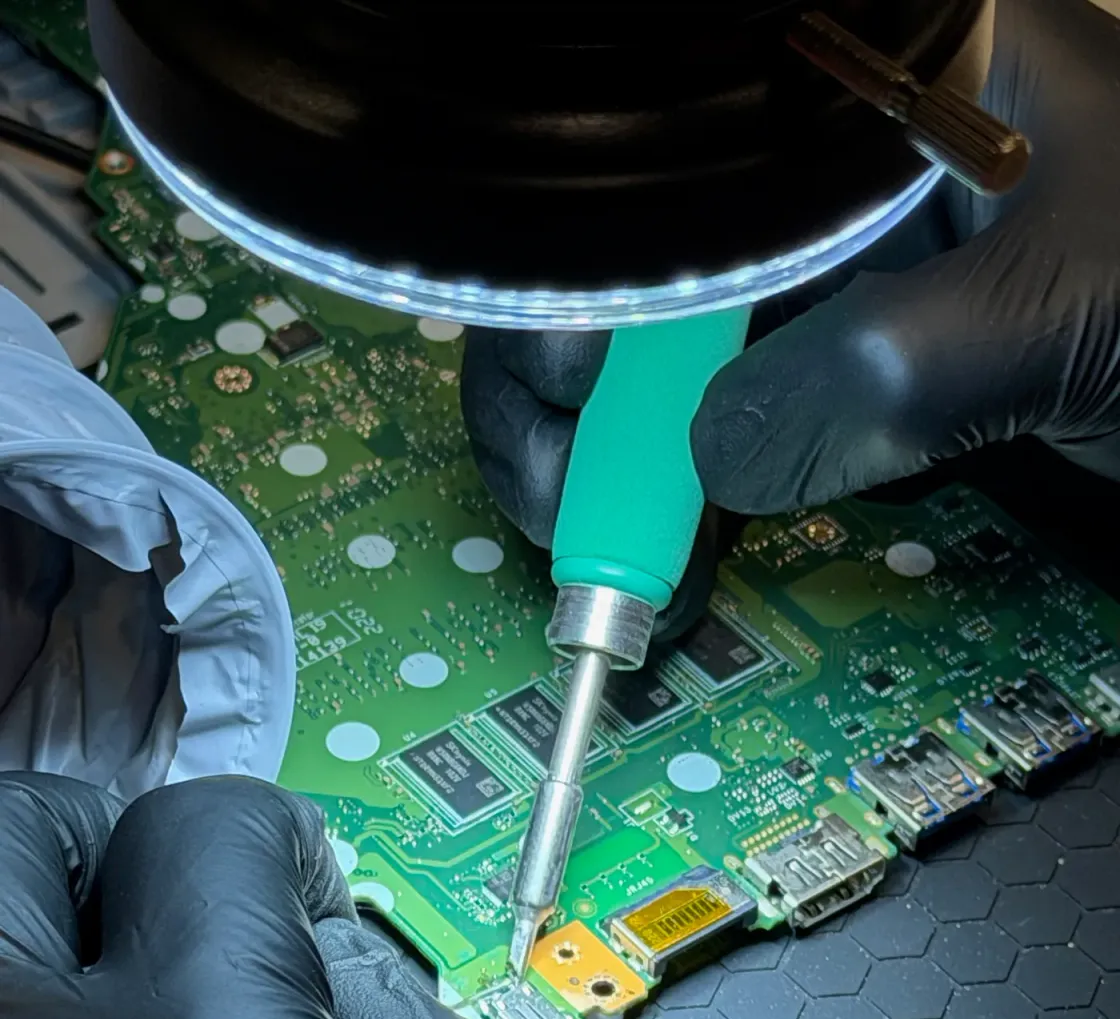
Microsoldering is the level above: microscope, schematics, point-by-point measurement and replacement of the exact component that failed. It needs specific equipment and a lot of hours of practice, and that’s why it’s where we do more work than anyone else around here. And because the method doesn’t depend on the badge on the lid, it’s also what lets us repair a Windows laptop or an Android phone at this same bench: a blown capacitor looks the same under the microscope wherever it came from.
If you’re coming from somewhere else with a whole-board quote or a “can’t be fixed”, bring it in for a look: we’re an independent workshop with our own microsoldering lab and the initial diagnosis is free. More often than you’d think, there’s a way forward. When the case calls for opening the device and measuring the board under the microscope, that’s an in-depth diagnosis: it carries a cost, we tell you how much before starting, and you decide.
And if what matters isn’t the device but what’s inside it, start with data recovery.
It isn’t only about a steady hand. Component-level repair needs specific tools, and the knowledge to read what they are telling you:
A board repair carries a 12-month warranty on the work done and on the components we fit: if the repaired fault reappears from the same cause, it’s put right at no charge. We’re clear about the limit: on devices that have suffered liquid damage, corrosion can keep causing trouble in areas that weren’t the ones repaired, and that’s a new fault rather than a failure of the repair. We explain that when we hand the device back, not afterwards.
That symptom says almost nothing on its own, which is why the diagnosis is the slow part. Before coming in it’s worth trying another charger and another cable, and telling a device that’s genuinely off apart from one that’s on with no image: those are two different faults. If the device has been wet, though, the priority isn’t applying any power to it and getting it here quickly.
Every fault is different, and the price depends on the model and the actual condition of the device. The initial diagnosis is free, and the quote is fixed before we touch anything.
On WhatsApp, by phone, or just drop in. Give us the model and the symptom and we can already point you in the right direction.
The initial diagnosis is free. If the symptom means stripping it down and measuring the board, we tell you what that costs before we touch it.
A fixed quote and a real timeframe, before we touch anything. You decide whether to go ahead.
Repair, reassembly and testing before you get it back, with a written 12-month warranty on the part and the labour.
5 out of 5 stars
Yo había hecho soldar con otro técnico el panel de encendido táctil de mi notebook y lo hicieron mal; fué cuando acudí a Leonardo y lo solucionó!!
5 out of 5 stars
Super recomendable! Se me rompió el cristal de una de las cámaras traseras de mi iphone 14 pro, apple me pedía 600€ y ellos en un tarde me repararon dos cristales de las 3 cámaras por 70€. Los chicos muy agradables!
5 out of 5 stars
Estos chicos son increíbles, les doy 5 estrellas porque no se pueden dar más. Cariñosos, profesionales y sin duda buena gente. Ya tengo informático de cabecera :)
5 out of 5 stars
No BS, just fair price and fast fix. I wish every city i live in has at least one of these trustable places.
It’s repairing the logic board at component level, under a microscope and with precision tools: you locate the chip, resistor or trace that failed and replace or rebuild that specific part. Compared with replacing the whole board it costs far less, and it keeps your original device — and its data.
Yes, and with no commitment. Most workshops repair by swapping modules, so if the fault is inside the board they have no way to fix it and the honest answer on their side is “it can’t be repaired”. With microsoldering the conversation is a different one.
That’s precisely the point. Repairing the original board is what allows the storage — and with it your photos and documents — to be preserved, especially on devices where the memory is soldered. If the data is the main goal, say so when you arrive and we start there.
Longer than a screen swap: the diagnosis is the slow part, because it means measuring until the fault is located. We give you a concrete timeframe once we know what it is, and always before you authorise the repair.
We tell you plainly and give the device back. Some damage doesn’t pay off economically and some has no solution at all, and we would rather say so than drag out a repair. In that case we look at whether the data can at least be rescued.
Yes, we also work as a lab for shops and workshops that repair by module and don’t do microsoldering. Message us on WhatsApp and we’ll talk it through.
12 months on the work done and on the components we fit, from the invoice date. If the fault we repaired returns from the same cause, we resolve it again at no charge. What it doesn’t cover is new damage or a different fault elsewhere on the board — worth bearing in mind on devices with existing corrosion.
Yes, and that’s the norm for work coming from other workshops. Bear in mind that without the rest of the device some final tests can’t be run, so for a private customer it’s nearly always better to bring the whole machine.
Constantly. The first step is seeing what was done before: lifted pads, badly removed solder or components fitted the wrong way round change the diagnosis completely. We aren’t here to judge anyone, but we do take it into account.
What happened just before it failed: whether it was dropped, got wet, was on charge, or had already been to another shop. That context saves hours of diagnosis and usually points straight at the affected area of the board.
Not too late, but worse. Corrosion keeps working even while the device runs, so after months there are more affected areas and more work involved. It can still be repaired in many cases, and you get an honest assessment before we start.
It leaves the device working and with its original board, which is what keeps your data. What it doesn’t do is rejuvenate everything else: a worn battery or a scratched screen will stay exactly as they were unless they are dealt with separately.
It depends on which component has failed and how much damage surrounds it: a charging chip is one thing, a board with corrosion spread across several areas is another. Diagnosis time counts too, because on a logic board that’s the long part of the job. So we assess the board first and quote afterwards, always before you authorise anything.
If the fault is localised, repairing the board usually works out far better than replacing the whole thing, which on many devices costs close to what the machine is worth. And one factor never shows up in the price: on devices with soldered storage, the original board is what keeps your data. When the damage is extensive we give you the real figures and tell you if we don’t think it adds up.
Very probably. When a clean restore changes nothing, the problem is no longer software: there is usually a component that becomes unstable as soon as the device draws current to boot. In these cases the first decision is whether there is data to secure, and only then do we plan the repair.
Not strictly, but a WhatsApp message beforehand helps a lot. Tell us the model, what happened just before it failed and whether it has already been to another workshop, and we start with half the diagnosis done. Bear in mind that board-level work isn’t done while you wait: the device stays here and we give you a timeframe as soon as we know what it has.
Photos and documents from dead devices, damaged drives or accidental deletion.
Won’t turn on, screen, battery, keyboard, liquid damage, SSD and RAM upgrades.
Screen, battery, camera, charging port, liquid damage and back glass.
Tell us what’s wrong and we’ll tell you what it is, what it costs and how long it takes. No obligation, and the initial diagnosis is free.
4,6 out of 5 · 138 reviews on GoogleCarrer de Fontanella, 14, bajos · 08010 Barcelona — or drop by Fontanella 14, next to Plaça Catalunya