
MacBook & iMac repair
Won’t turn on, screen, battery, keyboard, liquid damage, SSD and RAM upgrades.
Mac laptop · 2016–2017
Few Apple machines have collected two service programmes of their own. This one did, and both faults still arrive at the workshop with the same symptoms.
4,6 out of 5 · 138 reviews on GoogleDocumented design fault
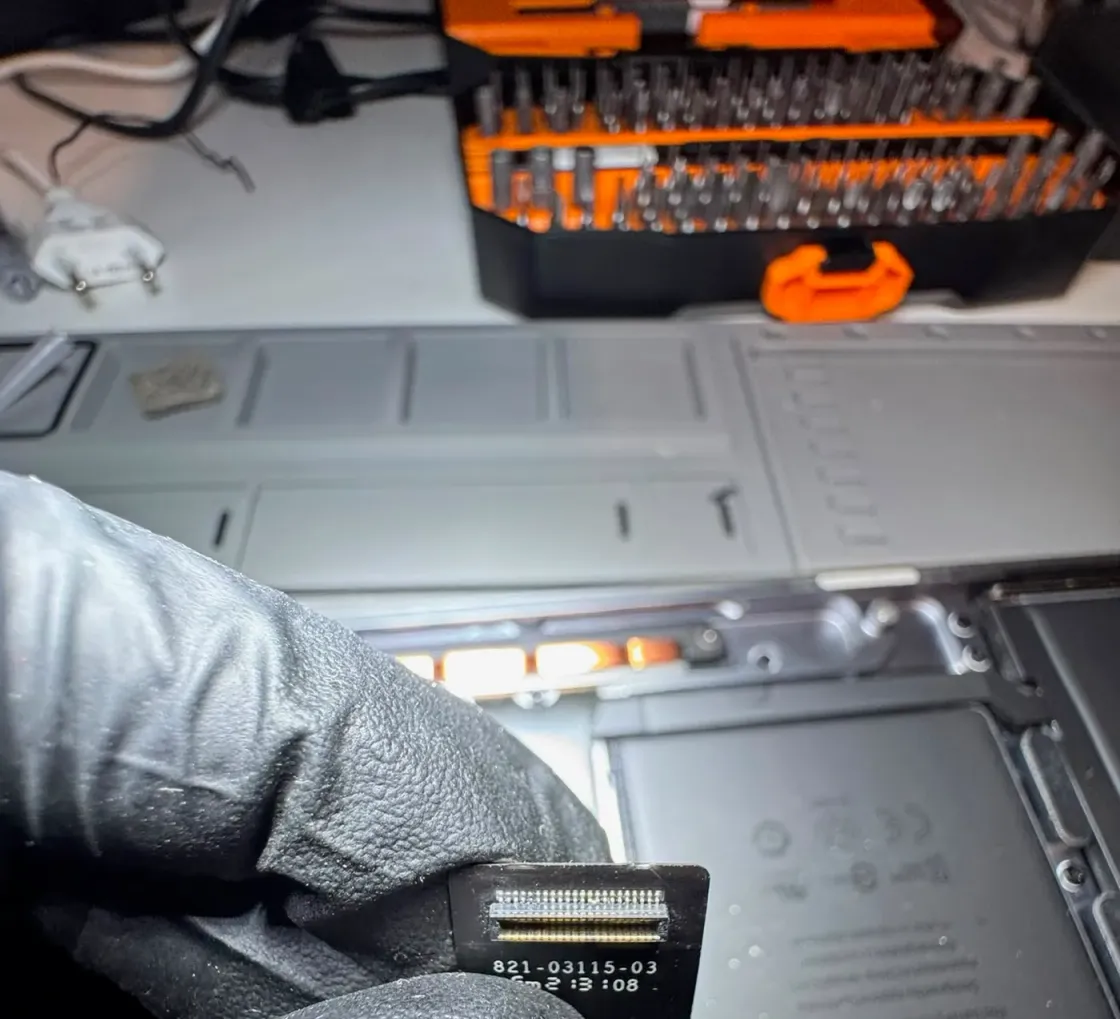
In 2019 Apple published a service programme for the display backlight: bright vertical bands along the bottom edge, constant or intermittent, and in advanced cases the light going out when you open the lid all the way. The cause is the flat cable that carries light to the display, which bends every time the lid opens and closes.
It pays to be precise about who qualified: that programme covered only the 2016 13″ MacBook Pro, both the two-port and the four-port Thunderbolt 3 versions, sold between October 2016 and February 2018. The 2017 models were not on the list, although they share the architecture. And like Apple’s other programmes from that period, it is now closed.
On top of that comes the second-generation butterfly keyboard, with the same symptoms as the 12″ MacBook: keys that repeat, keys that do not respond and keys that stick. It is common for one unit to arrive with both, which is why the diagnosis on this model always starts by opening and closing the lid slowly while watching the bottom edge.
The symptom Apple described word for word. It tends to get worse with use, so the sooner it is looked at, the less likely you are to lose the picture.
You can see the image against the light but with no backlight, and with the lid half open it comes back. That is the advanced stage of the same cable.
This machine’s butterfly keyboard shows all three known symptoms. It is worth checking at the same time as the display, because the teardown overlaps.
While you wait for the repair, every lid cycle punishes the cable. Leaving the laptop open on the desk buys time and sometimes saves the picture.
It is not a loose part you plug in: it is built into the display assembly, and that shapes the scope of the job. We explain it with the quote in front of you.
This page digs into one specific model. If you want the full picture of what we do with this family of devices, start here:
Won’t turn on, screen, battery, keyboard, liquid damage, SSD and RAM upgrades.
It introduced the butterfly keyboard Apple ended up covering with a service programme.
With the T2 the SSD is soldered and encrypted, and Apple dropped the port that rescued data.
The Apple menu, About This Mac, shows the model year. It matters because Apple’s backlight programme covered only the 2016 units, even though the fault and the repair are the same on both.
The cable is part of the display assembly, so the real scope depends on the state of your unit and on what we find inside. We give a fixed price with the diagnosis and you decide with the facts in front of you.
You can, but the damage advances with every lid opening and the next step is usually losing the backlight altogether. If you need it, leave it open and avoid closing it until we can look.
Tell us what’s wrong and we’ll tell you what it is, what it costs and how long it takes. No obligation, and the initial diagnosis is free.
4,6 out of 5 · 138 reviews on GoogleCarrer de Fontanella, 14, bajos · 08010 Barcelona — or drop by Fontanella 14, next to Plaça Catalunya