
6 min read
Liquid spilled on your MacBook: what to do in the first minutes
On a laptop the keyboard is a funnel straight down to the logic board, so liquid reaches the electronics in seconds. That first minute counts for more than everything else.
8 min readBestFixing workshop team
The click is not a warning: it is the sound of a head that can no longer find where to read. What you do in the next ten minutes matters more than any program you could install.
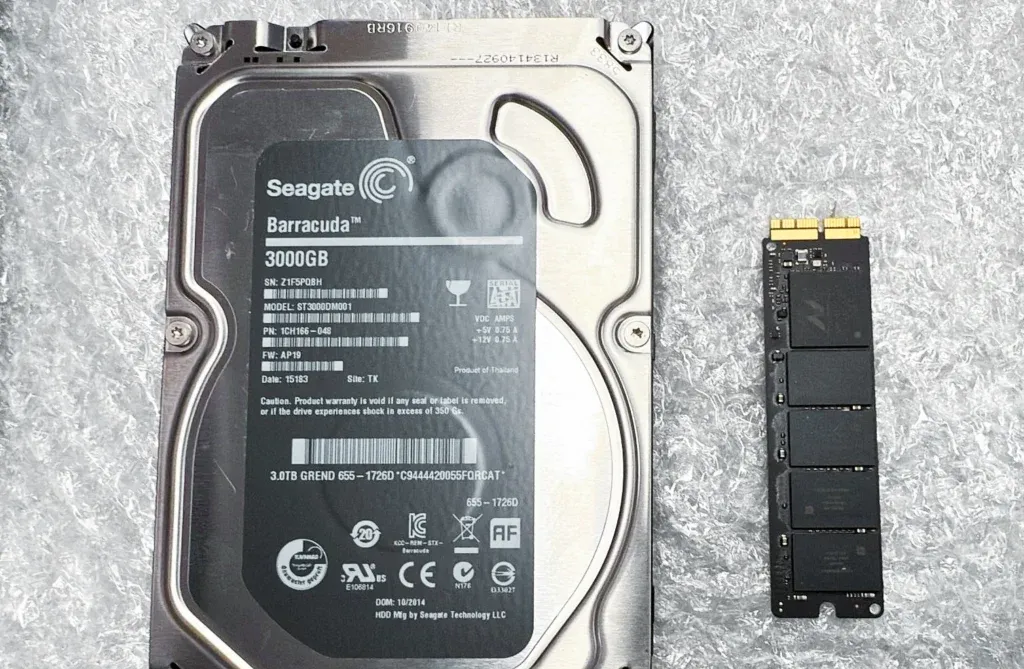
If you are reading this with the drive plugged in and clicking away, stop. Unplug it. Read afterwards. This is not drama: on a clicking drive, time spent powered up is measured in accumulated damage.
Inside a mechanical hard drive there are one or more platters spinning at thousands of revolutions per minute and an arm carrying the read heads, which do not touch the surface: they fly on a cushion of air at a distance measured in nanometres. It is an absurdly small gap; a human hair is thousands of times thicker.
Written in among the data are reference marks that tell the head where it is at every instant. When the head is damaged, misaligned, or the surface beneath it is no longer readable, those references do not appear. And the drive does the only thing it knows how to do: it pulls the arm back to its mechanical stop, recalibrates and tries again.
That knock of the arm against its stop, repeated every second or two, is the click you can hear. People call it the click of death and the name is well earned, because it does not describe a read error: it describes a mechanical failure. There is no software on earth that repairs a bent part.
Everything that matters in this article is here.
A head that has been touched or is sitting wrong no longer flies as it should. Every time you power the drive up, that head comes down onto a platter spinning at full speed and scratches the surface. The microscopic debris it lifts stays inside the casing, spreads and scratches more. A drive that today could return almost everything you have on it may, after an afternoon of attempts, return nothing.
Which is why the sentence we repeat most is the hardest one to accept: stop trying. Every spin-up, every “let me have one more go in case it works this time”, every hour connected, is material lost for good.
The single exception that deserves one attempt: if the drive is external, USB powered, and the clicking started right after you changed cable, port or hub, it may simply be a lack of current to start the motor. Try it once with a known good cable and a decent power supply. If it still clicks, that is that: unplug it and do not insist.
The programs advertised the moment you search for “hard drive recovery” are not a scam. The problem is that they are built for something else.
That software does exactly the opposite of what a physically damaged drive needs: it keeps the unit spinning for hours and forces retries over and over on the failing sectors, which are precisely where the head is suffering. It is a marathon prescribed to a patient with a broken leg.
And yet it does work, very well, in the other scenario:
The practical difference is simple. If it sounds wrong, touch nothing. If it sounds normal, there is room to work — although even then it is better to work on a copy rather than the original, especially when what is inside is irreplaceable.
The freezer. It comes from drives of the eighties and nineties with very specific expansion problems. Applied to a modern drive, all you achieve is water condensing inside a mechanism with nanometre tolerances, thickened bearing oil and a free thermal shock. It does not help here.
The sharp knock. “Give it a tap so it unsticks.” What you have is a head that is no longer where it should be; adding an impact does not reseat it, it slams it into the platter.
Turning it upside down or standing it vertically. It can change how it sounds for a few seconds. It changes nothing underneath, and those seconds are more scratching.
Opening it at home for a look. The air in an ordinary room is full of particles far larger than the head’s flying height. Opening it on the living room table closes the door on serious recovery.
Not every sound means the same thing, and the initial diagnosis changes completely:
None of this applies to SSDs and USB sticks, because there are no moving parts. An SSD does not click: if your drive makes noise, it is mechanical.
So you know what you are buying when somebody quotes you for a clicking drive. A mechanical case is not solved with a program: at the very least it demands
Note the order: a full image is made first, and all the work that follows happens on that image, never on the drive. The original usually gives you one good chance and it is not spent browsing folders.
Mechanical work takes hours, materials and a donor drive. So the right question is not “how much does hard drive recovery cost” but how much is what is inside worth.
It is worth it when it is the only copy: fifteen years of photos, the accounts, a client’s project, a thesis. It is not worth it when it is a backup drive whose original is still alive, or when what is inside is a film library you can download again. And there is a third answer that is equally valid: the data matters, but not that much. Saying so out loud is perfectly fine.
What we do is the first thing of all: assess the drive, tell you what we can see, what we expect to recover and what it costs before you authorise anything. If we do not think it is viable, we say so and give the drive back. The full approach is on data recovery in Barcelona, the step-by-step route is on how the process works and, if you would rather talk it through before travelling, on contact.
One note, because an external drive is not the only case: if what is failing is the internal storage of a recent Mac, the problem is a different and far less intuitive one, because that memory is soldered and encrypted against the processor and the board has to be repaired just enough to read it; the starting point, if the machine will not even boot, is the checks for a Mac that will not turn on.
We are not going to tell you that you should have made backups. We are going to tell you the minimum version that works for an ordinary person:
In practice, for most people that means Time Machine to an external drive plus iCloud or whichever cloud service you already use. Ten minutes of setup, once. The only important part is checking every so often that the backup is genuinely running: the backup nobody has looked at in two years is the one that fails on the day it is needed.
And if it’s already too late: power it down, stop plugging it in and bring it over. With a mechanical drive, whatever has not been damaged yet is still recoverable.
BestFixing workshop team
We are the workshop team at BestFixing, in Carrer de Fontanella, 14, bajos · 08010 Barcelona. We have been repairing Apple devices since 2015 and more than 2,300 machines have been through our bench.
What we write here comes from what we see every day: we have our own microsoldering lab and repair the board at chip level rather than replacing it, and we do data recovery in the workshop itself, without the machine ever leaving. Every repair leaves with a written 12-month warranty on the part and on the labour.
6 min read
On a laptop the keyboard is a funnel straight down to the logic board, so liquid reaches the electronics in seconds. That first minute counts for more than everything else.
7 min read
A Mac that will not turn on can mean five different things, and each one leads to a different repair. These checks take ten minutes and sometimes solve the problem outright.
6 min read
What you do in the first sixty minutes decides most of what follows. And almost everything the internet says about rice is wrong.
That is precisely the worst thing you can do in this case. That software keeps the drive spinning for hours and forces retries over the damaged area, so it makes physical damage worse. Recovery software does make sense when the drive sounds normal and the problem is a deletion or a corrupt partition.
No. It is a myth inherited from drives built thirty years ago, and today it only adds condensation inside a mechanism with nanometre tolerances. The same goes for a sharp knock or turning it upside down: every attempt spends an opportunity that does not come back.
That is the most expensive trap of all. Copying folders by hand forces the head to jump across the whole platter and usually triggers the final failure before you finish. If anything is genuinely going to be attempted, the first step is a sector-by-sector image, not browsing the drive.
No, and be wary of anyone who guarantees it up front. It depends on how far the head has been dragged across the surface and on whether those platters are still readable. That is why the first step is an honest assessment telling you what we expect to find and what it costs, before you commit to anything.
Photos and documents from dead devices, damaged drives or accidental deletion.
Won’t turn on, screen, battery, keyboard, liquid damage, SSD and RAM upgrades.
Tell us what’s wrong and we’ll tell you what it is, what it costs and how long it takes. No obligation, and the initial diagnosis is free.
4,6 out of 5 · 138 reviews on GoogleCarrer de Fontanella, 14, bajos · 08010 Barcelona — or drop by Fontanella 14, next to Plaça Catalunya